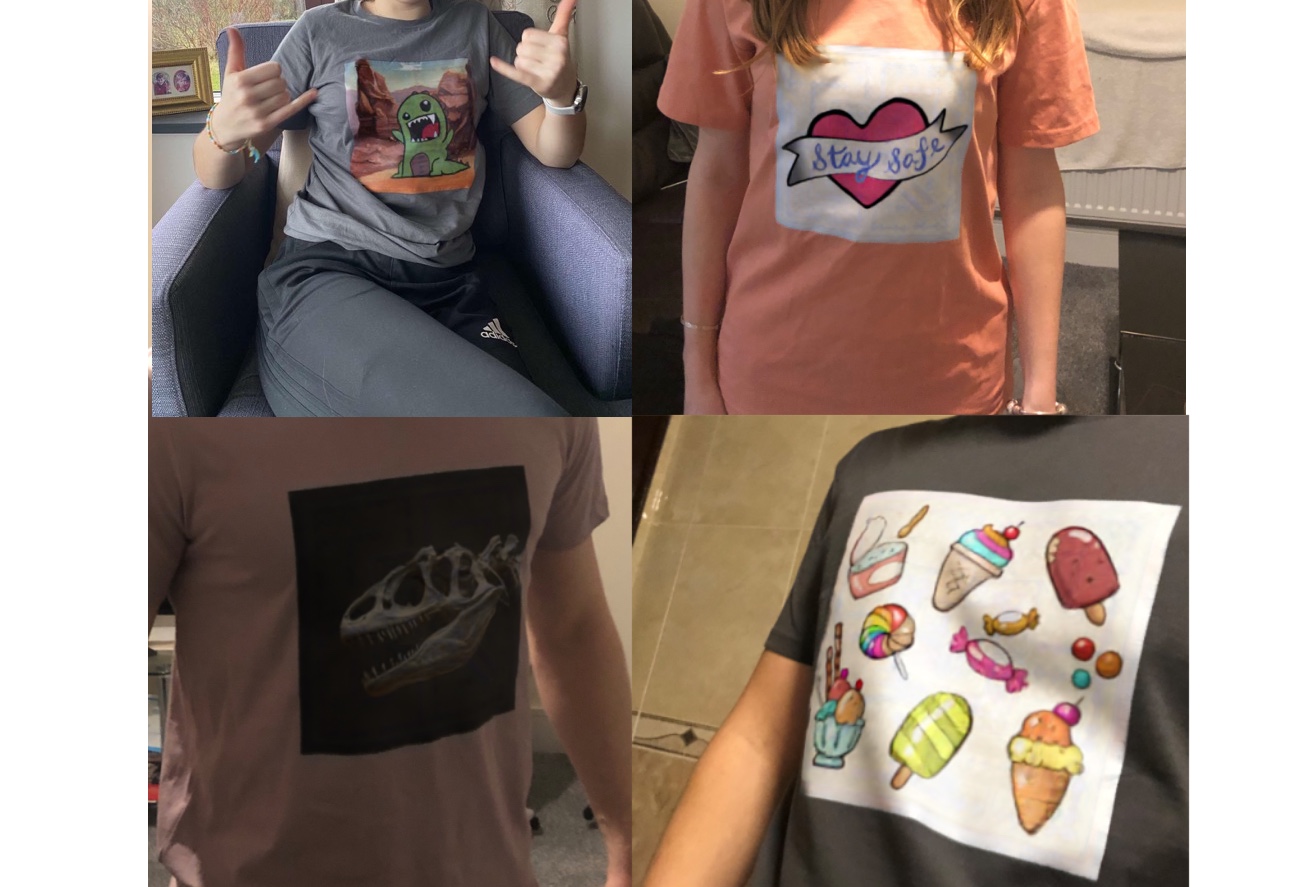
Image-to-Image T-Shirts (2020)
How I made an Augmented Reality t-shirt using Machine Learning
Image-to-Image Translation
Deep in 2020 lockdown, a tutorial on the “pix2pix” paper piqued my interest. With just a dataset of input/output image pairs, you could train a GAN to learn general rules for translating images from one distribution to the other. Remarkably, the same architecture and training objective worked across wildly different datasets enabling diverse applications.

These tasks demand significant understanding. Colorisation, for example, is semantic segmentation on steroids! The model has to grasp physical concepts like light, shadow and specular highlights well enough to paint them convincingly. Image-to-Image Translation looked super powerful and I was itching to get a better understanding by training my own model.
The Idea
I decided to make a t-shirt with augmentable designs (augmentable here as in AR).
It would be a technical challenge and a test of what Image-to-Image translation could do. More importantly, if I got it working in real time, I’d have a cool demo to show off on Zoom calls.
The model would need to swap a predetermined texture (the base design printed on the shirt) for an augmented one, matching the original’s deformations, occlusions and lighting while leaving the rest of the image untouched. The beauty of pix2pix was that I’d only need a dataset of input/output pairs capturing all of this.
Dataset creation
Each training pair had to be identical apart from the design: the base design in the input image, the augmented design in the output.
The trick was simulation. I could render a 3D mesh twice — once with the base texture, once with the augmented one — to get perfectly aligned pairs. Python scripts in Blender allowed me to programmatically vary camera angles, lighting and backgrounds so the model could learn across all these variables.
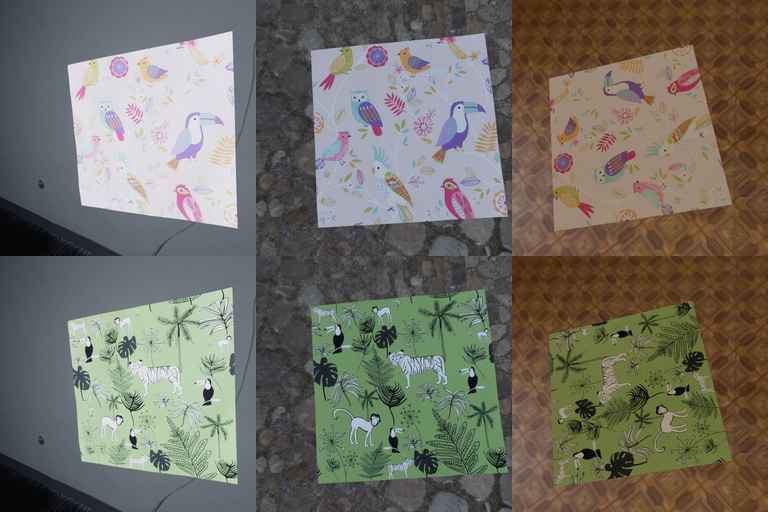
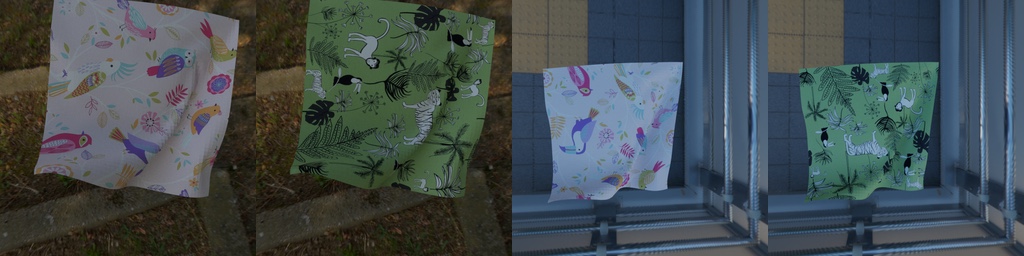
But one crux remained: how to capture translations across every kind of cloth deformation? I needed a large dataset of realistically deformed 3D meshes, and none existed online. Deforming them by hand sounded like a lot of math — I’d practically have to write a physics engine… but wait, Blender already has one! Its cloth and wind simulations were a neat way to randomly ‘jiggle’ the mesh, and by saving snapshots throughout the sim I got a cheap dataset of realistically deformed cloth meshes.
It was finally time to train my own “pix2pix” model and the initial results looked very promising. See below (I’ve repeated and magnified the Generated and Expected images for better comparison).
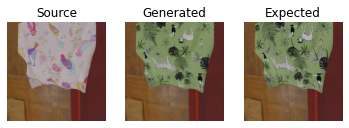
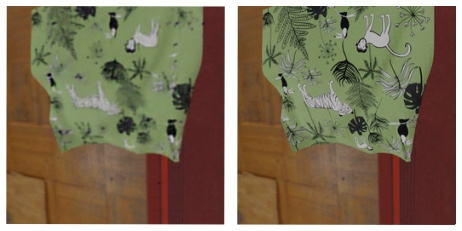
This proved that mapping designs onto deformed cloth was possible. I sanity-checked it on real photos too, running inference on deformed paper printouts of the base texture. The catch: the outputs couldn’t capture high-frequency detail, so they needed work.
I looked into ways to improve training:
- tweaking discriminator and generator architectures to balance their relative strength.
- tweaking hyperparameters.
- iterating on the base texture — a design with distinct, recognisable sections gave the model guide lines to translate against.
I’ve lost the earlier iterations I made, but below are the penultimate design and ultimate design.
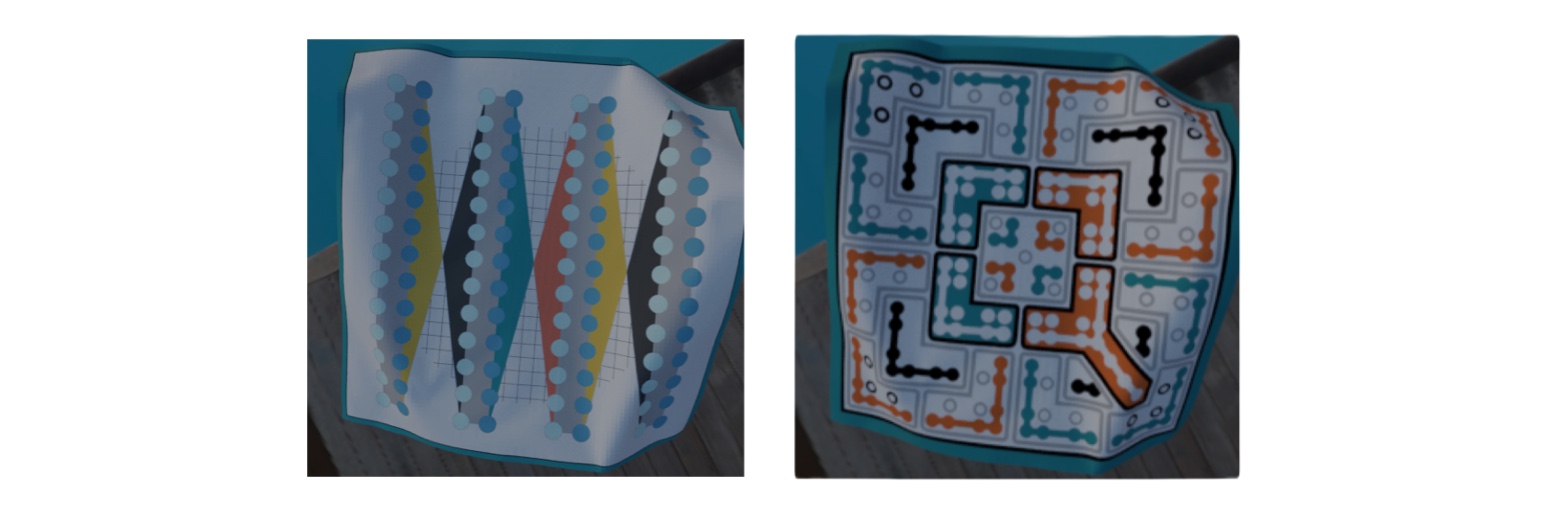
This helped a little, but like many before me, I found GANs tedious to train — inherently unstable, with plenty of runs simply wasted. I needed something better.
DeOldify, fast.ai and Perceptual Loss
Then I came across DeOldify and its NOGAN method — a more stable approach that pretrains the discriminator and generator separately, leaving only a brief spell of conventional GAN training to transfer the critic’s knowledge to the generator. What is NOGAN explains it well and is worth a read for GAN intuition in general. The technique came from Jason Antic, later developed with Jeremy Howard of fast.ai (talk and write-up here).
It was compelling enough to try, and a good excuse to take fast.ai for a spin. Results improved immediately. NOGAN let me lean on transfer learning — a pretrained ResNet backbone for the generator U-Net saved a huge chunk of training time — and fast.ai threw in niceties like One Cycle learning for finding a good learning rate. The biggest win, however, came in the form of a new loss function: Perceptual loss. Replacing pixel-wise losses like L1 or MSE, it scores outputs through a fixed pretrained classifier. My generator started producing far higher-fidelity images.
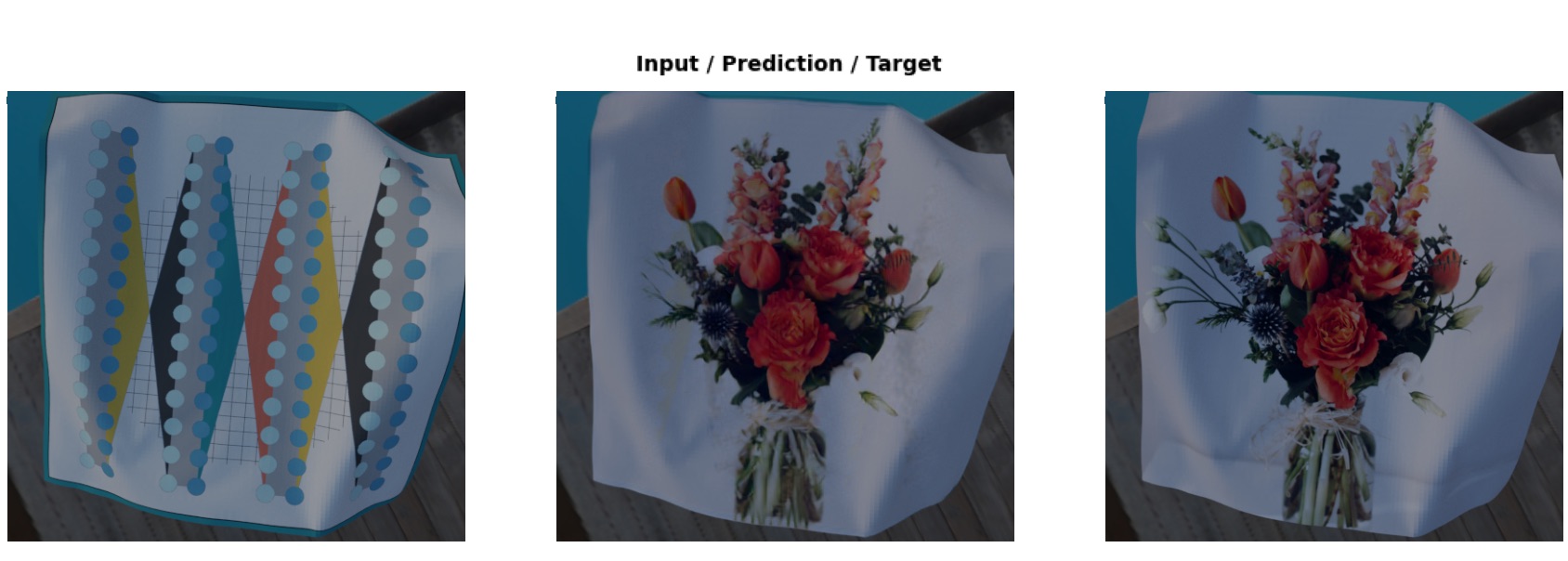
It worked so well that further GAN training barely moved the needle, so I dropped it entirely (if you squint, the perceptual loss network is a NOGAN discriminator). Training became reliable and repeatable.
Testing IRL
Standard fast.ai augmentations — rotations, flips, random crops and occlusions, brightness and hue jitter — made the model more robust for real-world use. Some examples:
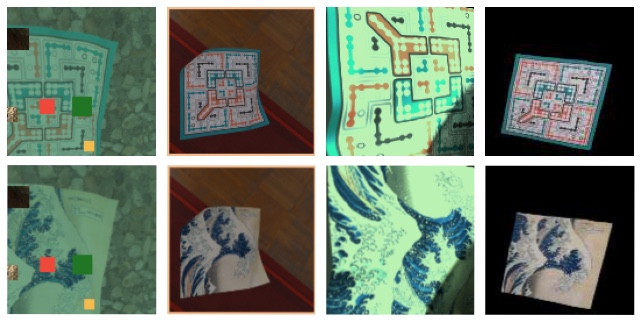
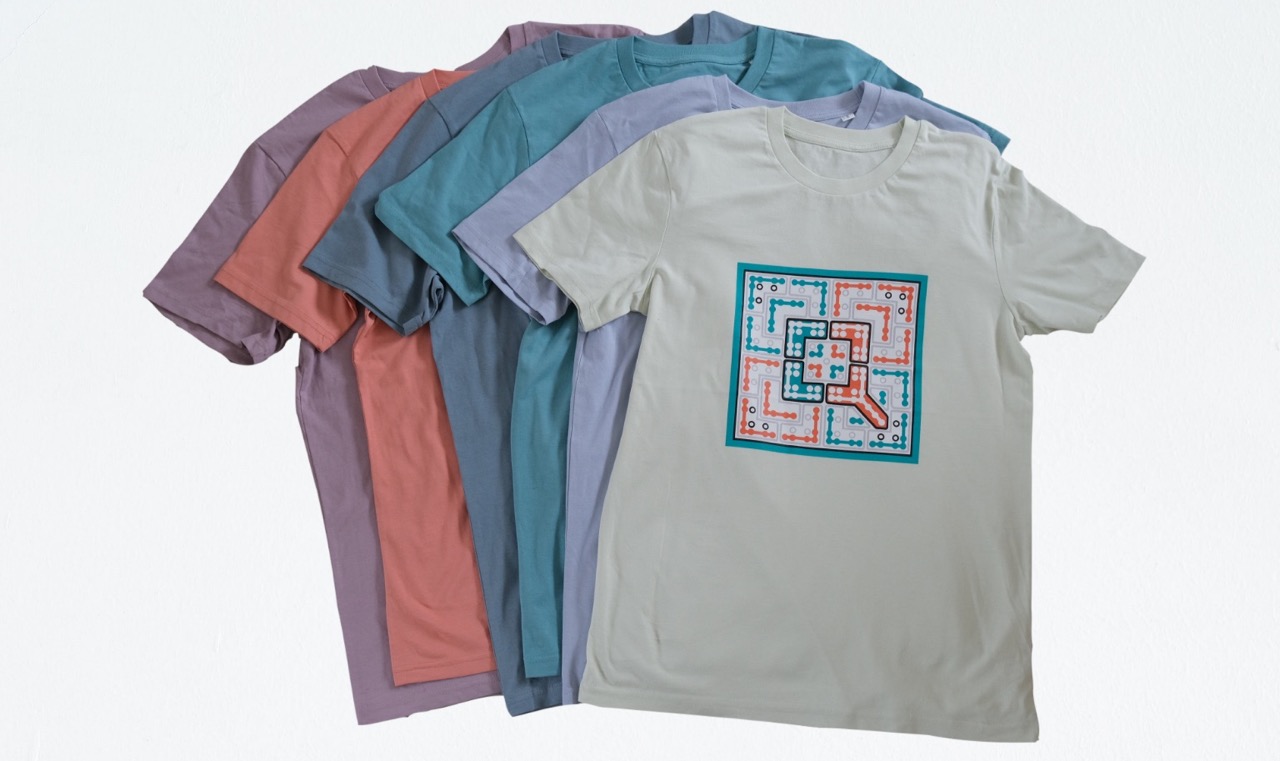
Now I was ready to print some physical t-shirts and test out my model IRL. Thanks to extensive training augmentation, inference would work on t-shirts of any color so I had a spectrum printed:
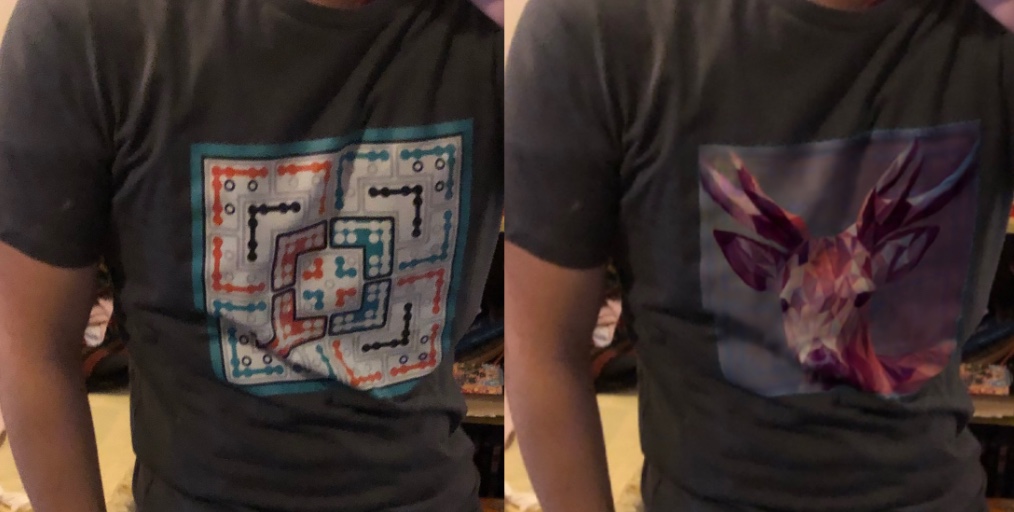
Here is an example of IRL inference in action. A challenging translation with extensive deformation that the model handled flawlessly:
I threw together a mobile app to run inference more conveniently. Photos uploaded in-app were sent to a Google Cloud Function running on serverless CPUs. Since the model expected a fixed input size, users had to draw a bounding box around the base design for higher-resolution output — a step that could easily be automated in a future iteration.
As set up, each set of weights could only learn one design. To speed up training for new designs, I froze a pretrained (autoencoding) encoder in the generator U-Net so only the decoder needed retraining.
An obvious next step would be conditional generation — one model handling many designs. I also explored translation without per-design training: a model mapping the base texture to texture-map coordinates. This was hard, since CNNs are translation-invariant; I tried fixes like CNN Coordinate Embedding, but results were lacklustre. Even if this had worked and I could accurately project a deformed texture onto the base image, a second model would be required to match lighting effects and blend the superimposed augmented design.
Real time video
Inference on a single Colab P100 GPU took around 0.15s (~7 fps) — too slow for the real-time streaming that was the primary aim of the project. So, I pushed on, looking for ways to speed up inference:
- lighter U-Net backbones for faster inference — ResNeXt, Wide ResNet, MobileNets, and EfficientNets (my biggest hope), mostly from Ross Wightman’s excellent PyTorch Image Models. Building U-Nets around them was fiddly and ate a lot of time, and the speedups were minor — and outweighed by drops in quality.
- serialising the model and running inference with ONNX runtime. For U-Nets on GPU, I did not find substantial gains in inference speed.
- technically you could also run multiple GPUs processing sequential frames to increase framerate but this was outside my project scope.
Sadly, with real time video still a 2 to 3x in performance away and no more insights for improvement, I decided to shelve the project. The demo video that I showed at the beginning of this article was rendered in post 😢
This was my first time building a machine learning app end to end, and I’d like to revisit it someday with better GPUs, newer techniques, and as a more experienced engineer. Until then.